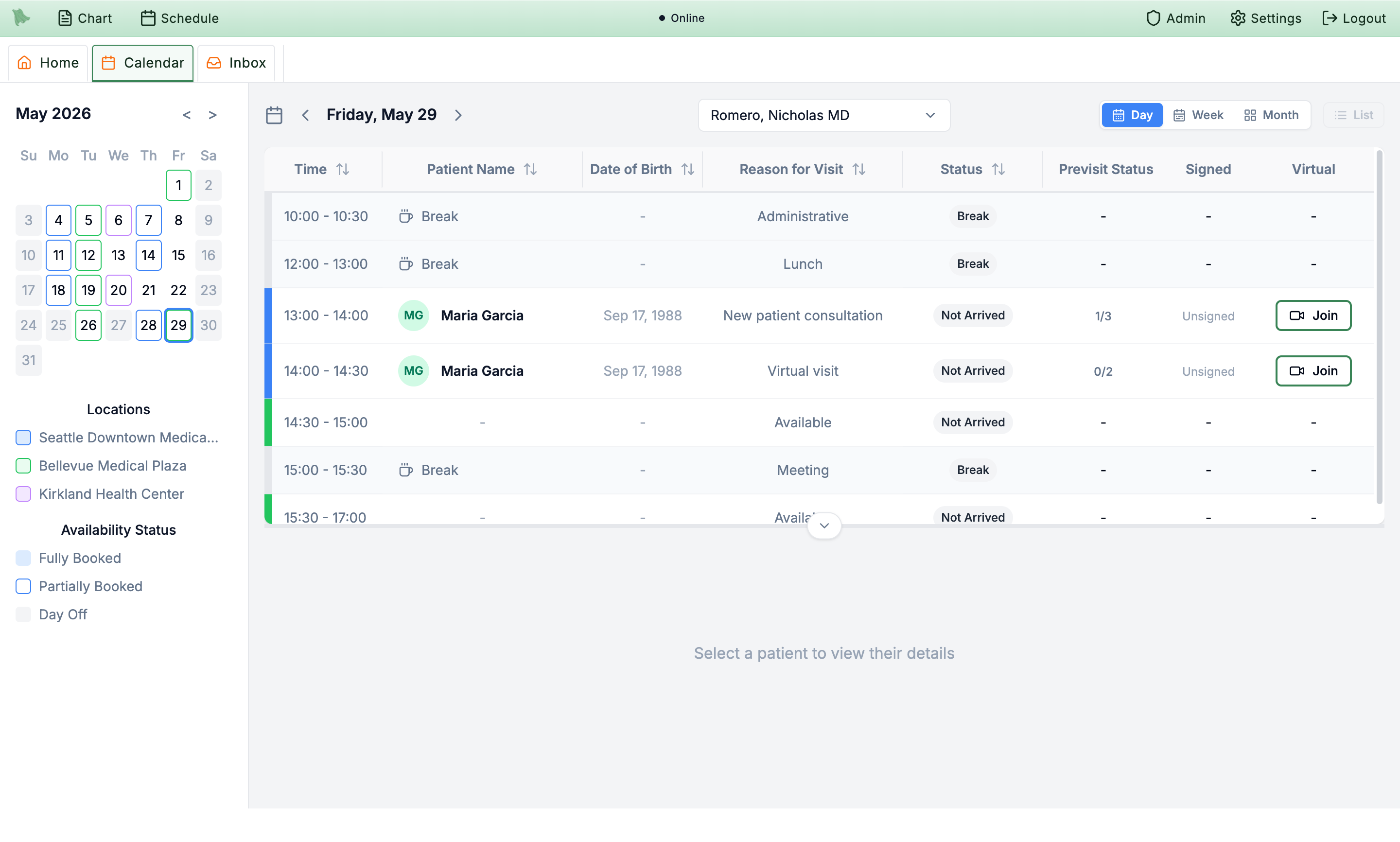
We went line‑by‑line through your wants & needs and matched each one to what's actually built in Hero — an all‑in‑one EHR designed for psychiatry and behavioral health. Below: what's live now (with screenshots you can verify in your own demo account), what's live with an enhancement we'd add for you, and the handful of items on our near‑term build plan with honest timelines.
A multi‑provider, multi‑location calendar with a real waitlist engine, automated reminders, and patient self‑booking — the operational core your front desk lives in.
A cancellation (or reschedule) instantly opens the slot and fires offers to matching waitlisted patients over SMS / email / push. Two modes: blast “first to confirm gets it” or a rolling queue with response windows. Claims are race‑safe; offers auto‑expire. Patients claim right from the portal.
Scheduling Settings › Waitlist, and the patient portal’s “Waitlist offers”
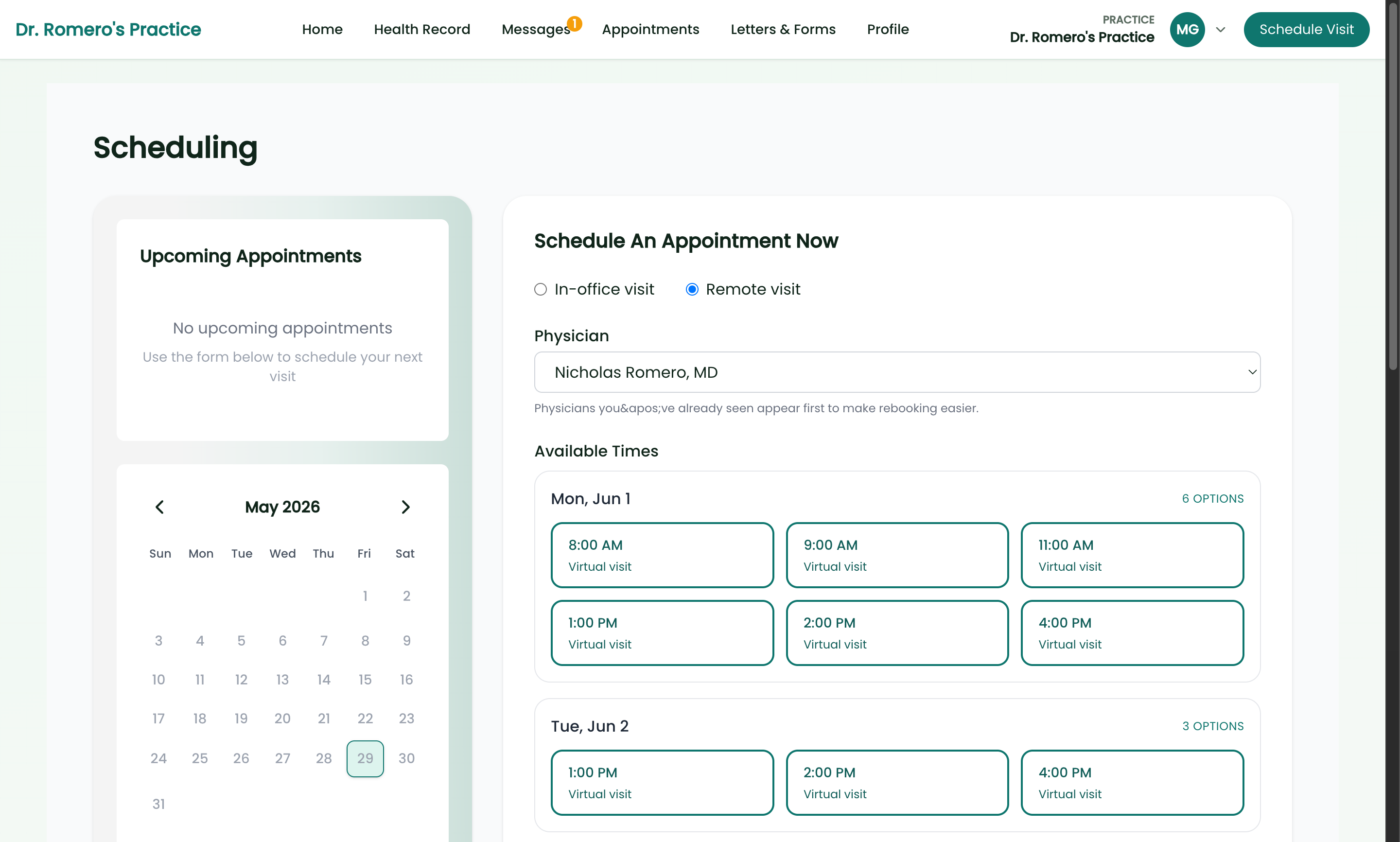
Patients pick provider, visit type and a real open slot and book through the exact same engine your staff use — with reschedule, cancel, and an optional deposit/booking‑policy gate.
myhero.soaper.ai › Schedule a visit
Multi‑step, multi‑channel reminder policies with timing you control, patient‑preference + quiet‑hours awareness, and automatic SMS→email fallback. Reminders recompute on reschedule/cancel.
Scheduling › Settings › Appointment Reminders
The engine already fans out across every provider at a location and returns merged open slots at any duration. Today the booking screens ask you to pick a provider first.
2–4 wks We add an “Any provider” toggle on both the staff and patient booking screens that calls the existing multi‑provider search and labels each slot with who it belongs to.
Confirmations auto‑send on booking and the multi‑step reminder cadence covers “no response → another nudge.” The inbound “text YES to confirm → appointment flips to Confirmed” loop is the piece we add.
2–4 wks We add a confirmed state + a CONFIRM keyword to the existing inbound‑SMS handler (which already powers SMS check‑in), plus a “Confirmed” badge on the calendar.
Patients already self‑check‑in from the portal and by replying to the reminder text (HERE / ARRIVED / CHECK IN), with check‑in windows and payment gating enforced. A dedicated lobby‑tablet kiosk screen is the addition.
2–4 wks We add a locked‑down kiosk route (find‑me by name + DOB, large‑touch check‑in) on top of the existing check‑in service.
Day/week/month + list views render today, and the portal already builds calendar (.ics) invites for a single visit. A practice‑level full‑schedule export is the gap.
~1 wk We add a Download menu on the calendar (CSV / print / .ics for any provider, location, date range) reusing the existing calendar query.
The calendar self‑refreshes after edits and on focus/staleness. For instant cross‑user updates we’d add a live push channel.
2–4 wks We add a real‑time scheduling stream (the app already uses this pattern elsewhere) so another user’s change appears immediately.
A multi‑channel follow‑up workflow (SMS + inbox, escalating cadence, voice escalation) already exists. We’d wire a status‑filtered list and tie the auto‑text to it.
2–4 wks We add a visit‑status filter to the schedule search + a scheduled auto‑text on the held set, reusing the existing outreach engine.
Scheduling and insurance are separate today; there’s no payer dimension on slots.
1–2 mo We build a payer tag on schedule blocks/visit types and teach availability to filter by the patient’s active payer, with admin controls and a patient‑side filter.
We compute availability, enforce rules and back‑fill via the waitlist, but there’s no optimizer that compacts gaps / maximizes utilization yet.
1–2 mo We build an optimization layer on the existing slot + rules engine that recommends gap‑filling placements and prioritizes which waitlist offers fill which gaps.
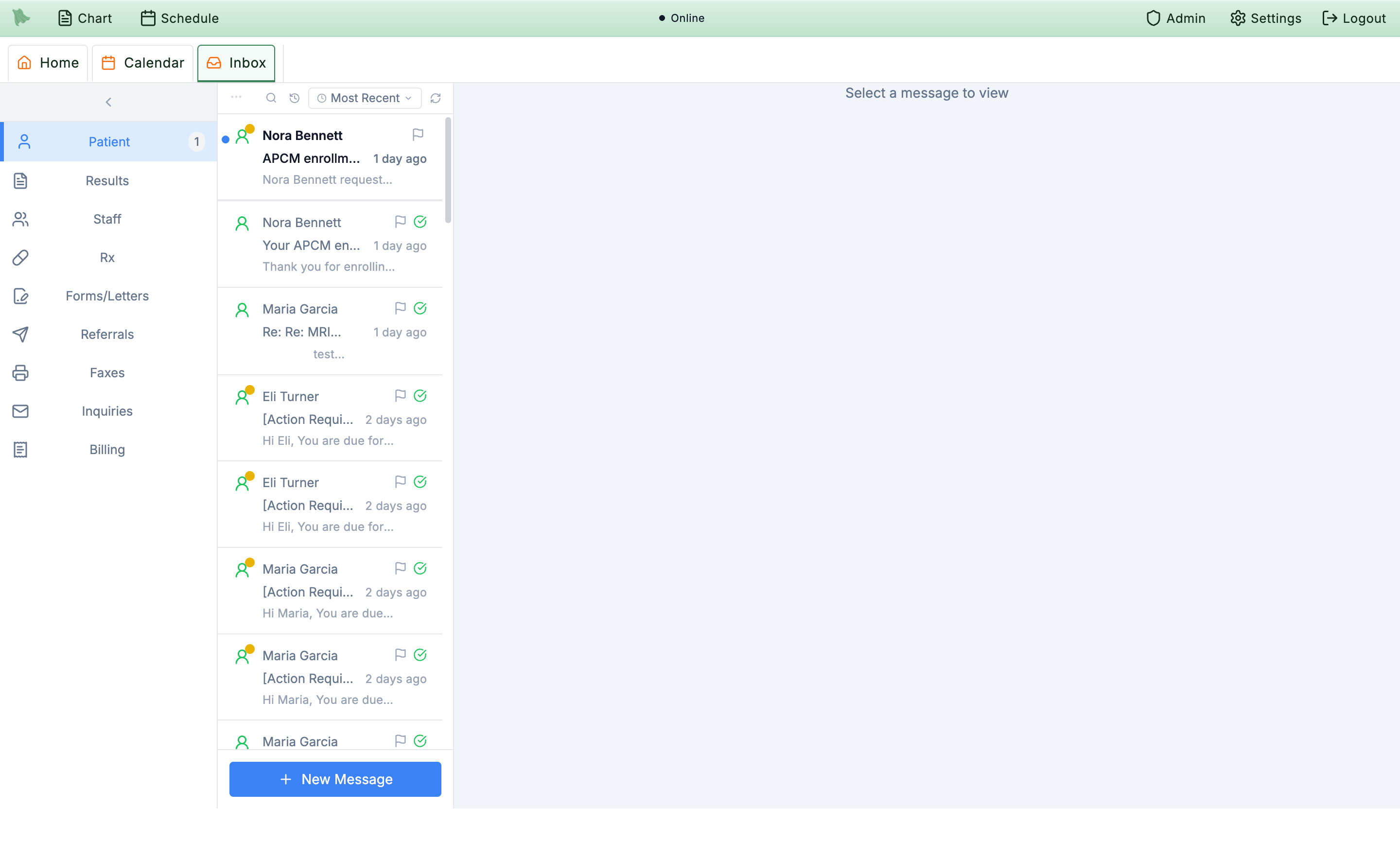
A branded patient portal, an online intake/consent form builder with legal e‑signatures, a unified two‑way message inbox, and card‑on‑file payments — the stack that replaces Jotform, your messaging tool, and your portal in one.
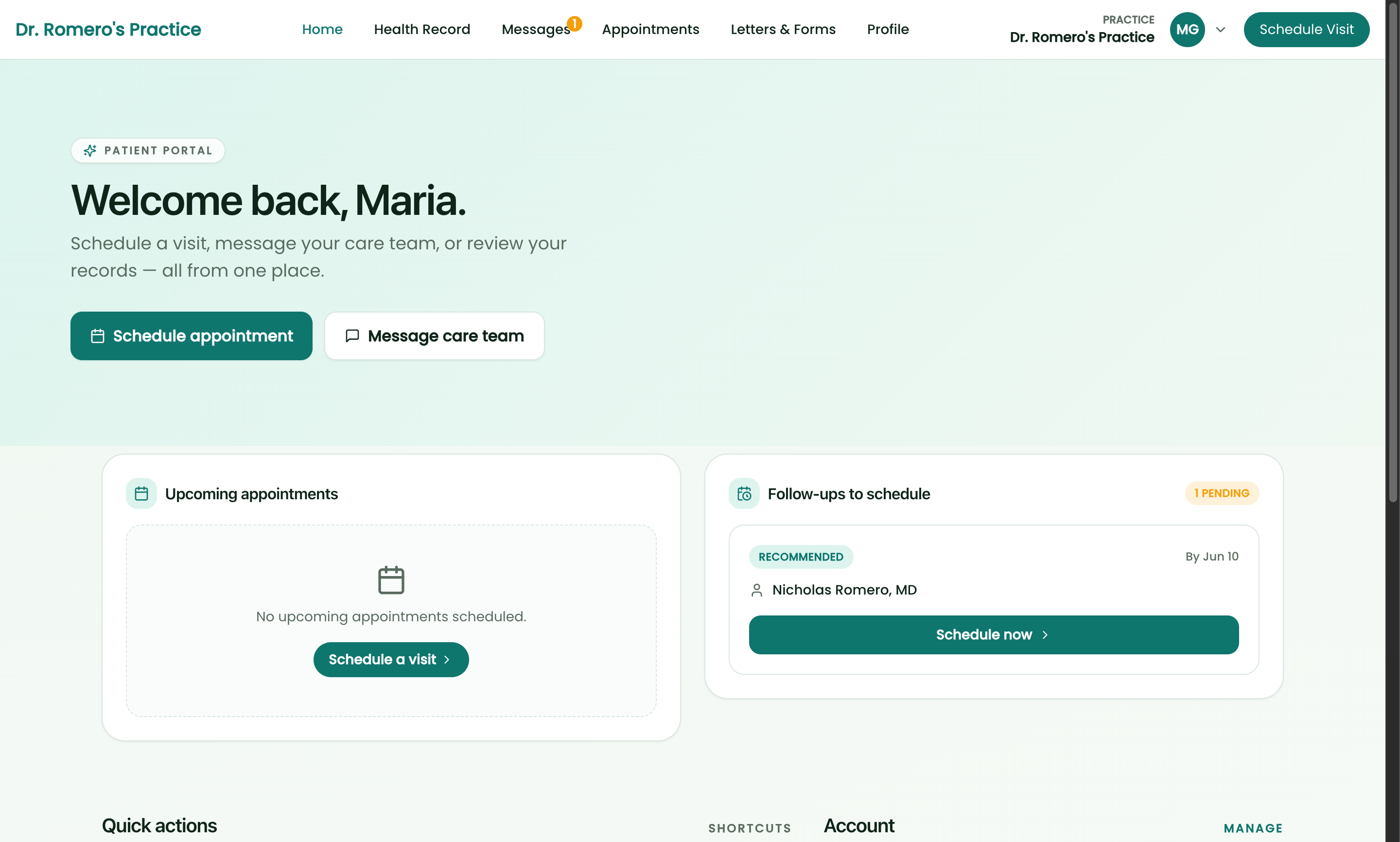
A full, branded portal: registration, scheduling, secure messaging, health records, results, medications, insurance, billing/payments, care‑plan, and pre‑visit tasks — with passkey or password sign‑in.
myhero.soaper.ai
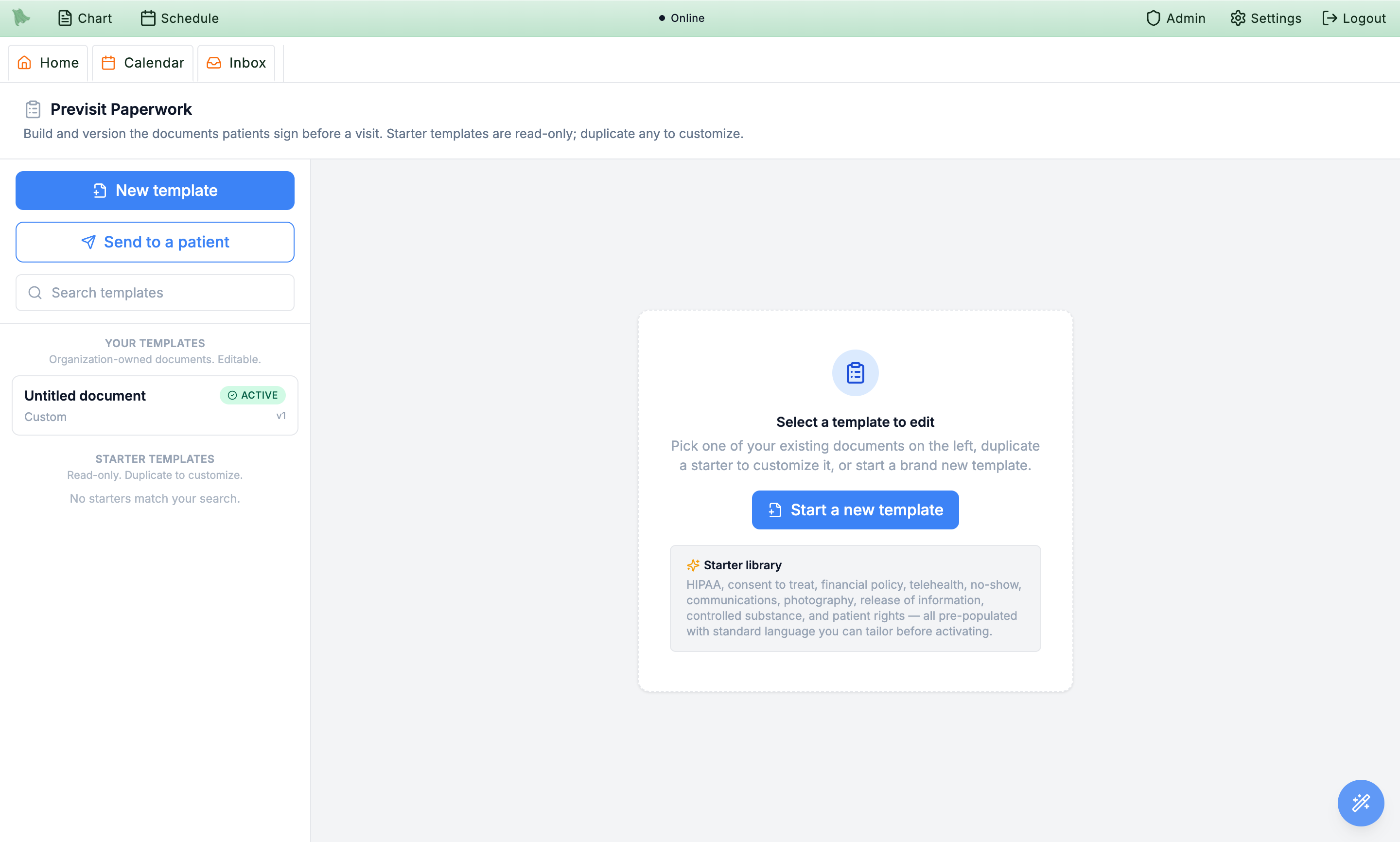
Two builder‑backed systems: versioned Previsit Paperwork (sections, required initials, chart‑prefill, state‑specific clauses) and a questionnaire/screener builder — both completed in the portal, scored and filed back to the chart.
Previsit Paperwork & Questionnaire Settings (clinician); Registration & Forms (portal)
Legally‑styled capture — drawn or typed signature, signer role (self/parent/guardian/POA), versioned e‑records consent, signing context + IP/user‑agent capture — generating a signed PDF archived into the chart.
Portal › appointment task “Review & sign”; signed PDFs land in the chart’s Media tab
Pay now (saved card, link, or Apple/Google Pay), save a card on file with explicit pre‑visit auto‑charge consent, partial payments and memberships — receipts auto‑email and list in the portal.
myhero.soaper.ai › Billing
A multi‑channel orchestrator sends SMS, email and push with preference‑based selection, fallback, do‑not‑disturb, and a durable retrying outbox — powering reminders, follow‑up escalation, balance and questionnaire nudges.
Scheduling › Visit Automation & Follow‑up settings
Branded online intake + consent with e‑sign, scored psych screeners, online registration, portal payments and messaging already consolidate the work you split across an external forms tool, a messaging tool, and a portal.
One login covers intake, screeners, messaging & payments
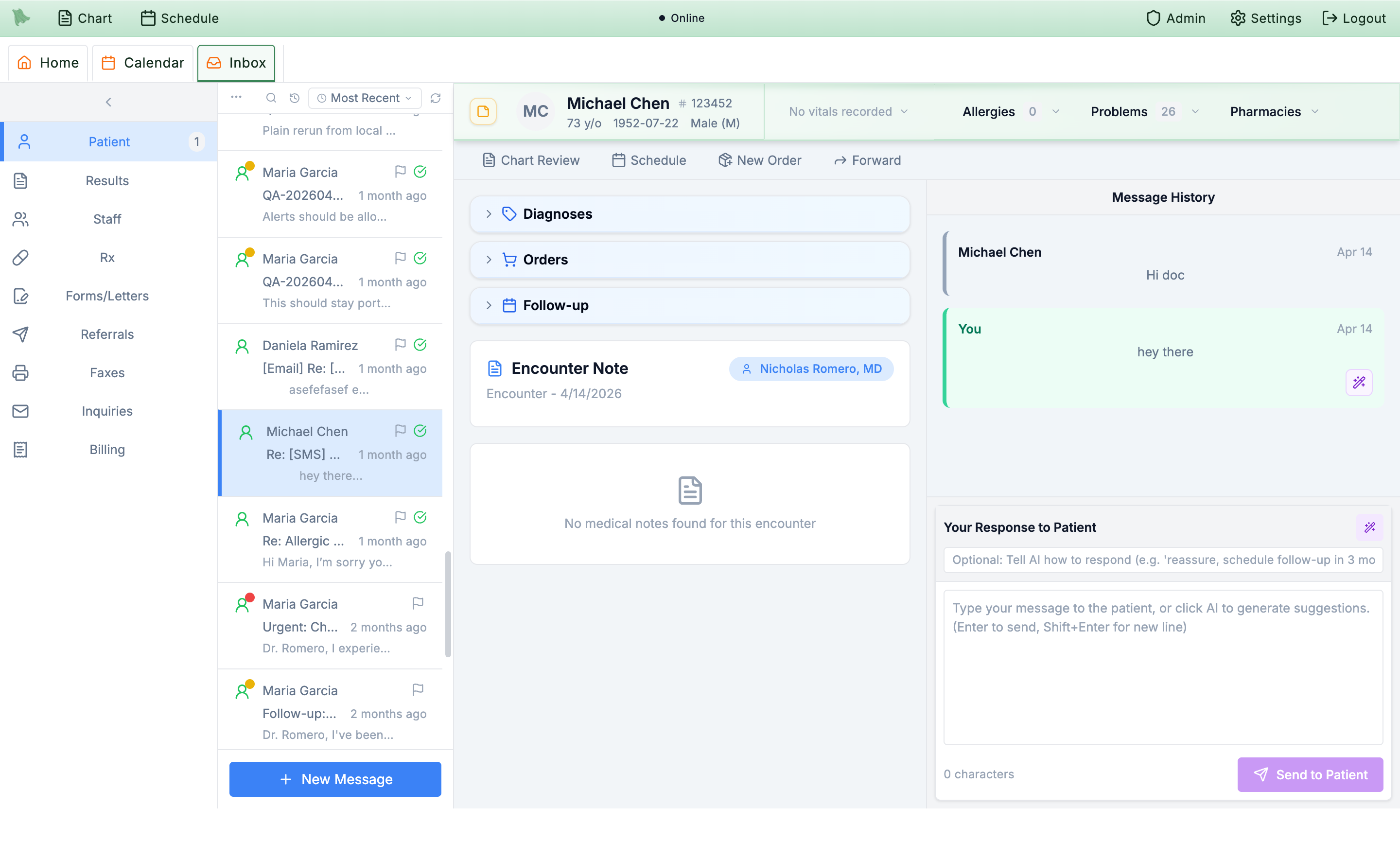
Inbound texts to your number are matched to the patient and threaded into the secure inbox today (with an AI‑drafted reply assistant — see below). True outbound SMS reply from that thread is the enhancement.
2–4 wks We add an outbound branch so replying in an [SMS] thread sends a real text back, honoring opt‑out/quiet‑hours.
Configurable canned auto‑replies (matched/unmatched senders, STOP/HELP/CHECK‑IN) ship today, and an AI agent already answers common voice questions. We’d bridge the two for SMS FAQs.
2–4 wks We add an intent/FAQ resolver into the inbound‑SMS path so common questions get an instant, on‑brand answer before falling back to the inbox.
Texting keys off the patient record today (inbound numbers auto‑match to a patient; opt‑in/opt‑out tracked per patient). A standalone consent‑tracked subscriber list is the addition.
2–4 wks We add a lightweight SMS‑subscriber/consent model that auto‑populates when a phone is captured or a patient texts in.
The AI phone agent answers inbound calls and org SMS sending exists, but no missed‑call event triggers an auto‑text yet.
2–4 wks We build a missed‑call/voicemail webhook that looks up the caller and auto‑texts a templated “how can we help?” reply.
Lots of automation runs today (reminders, follow‑up escalation, recurring screeners, auto no‑show, auto‑cancel stale visits, post‑sign claim creation). A user‑configurable “if‑this‑then‑that” builder is the bigger lift.
1–2 mo We build a rules engine (trigger → conditions → actions) on top of the existing event outbox so your team composes new automations without code.
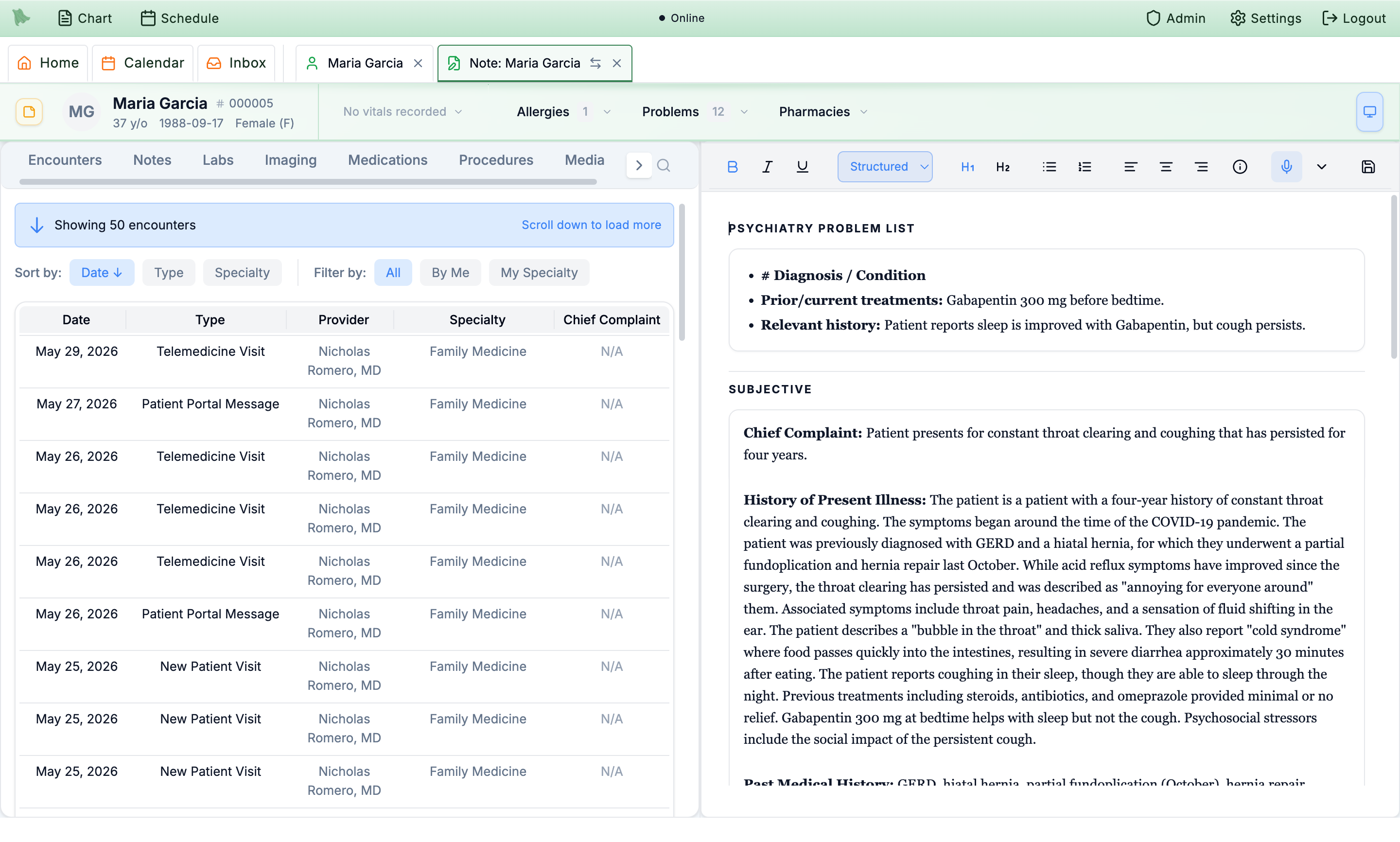
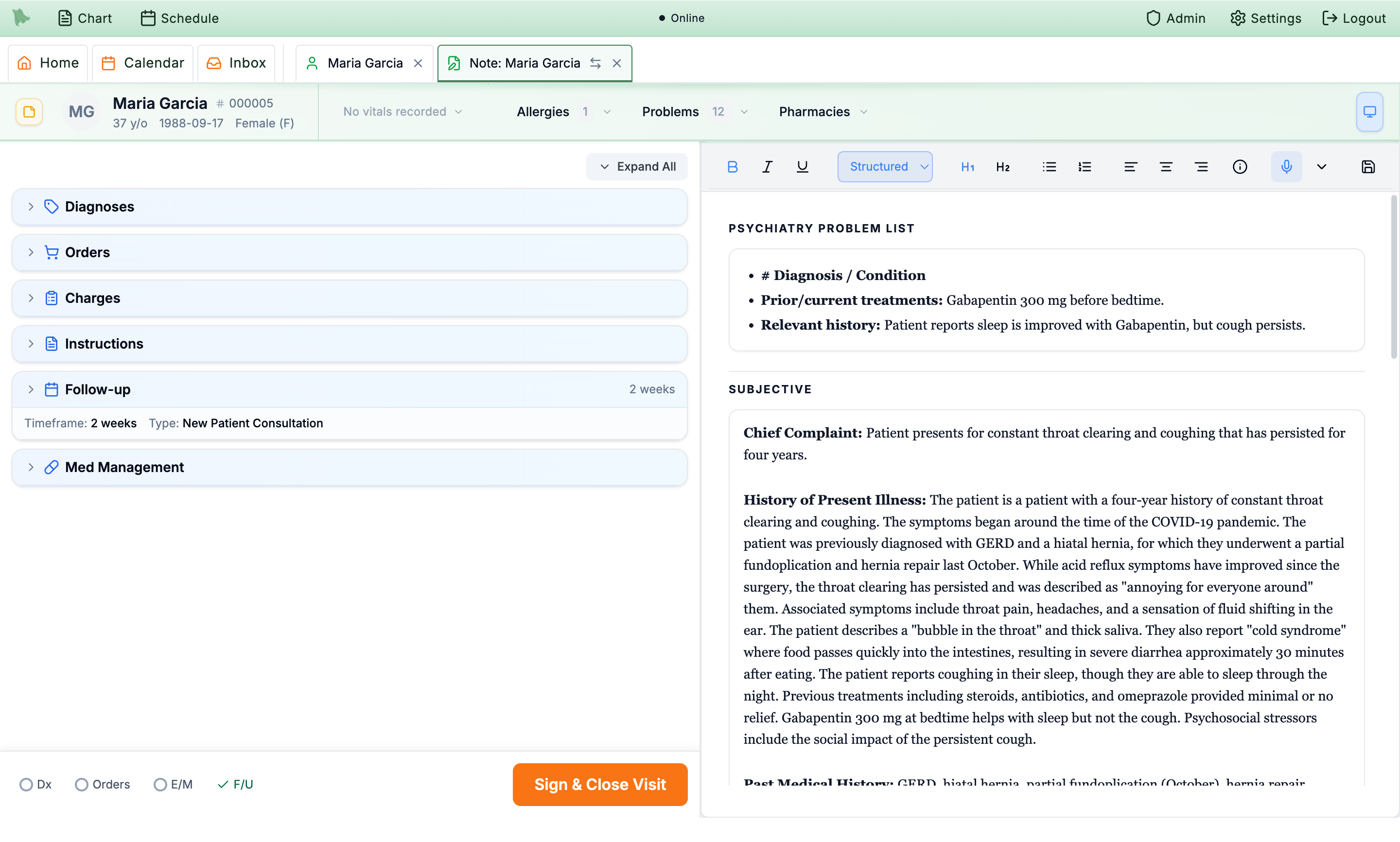
Purpose‑built for psychiatry: a full validated‑scale library you can fill out or send to patients, an AI scribe that writes structured psych notes, and Google‑Docs‑style co‑editing of the chart.
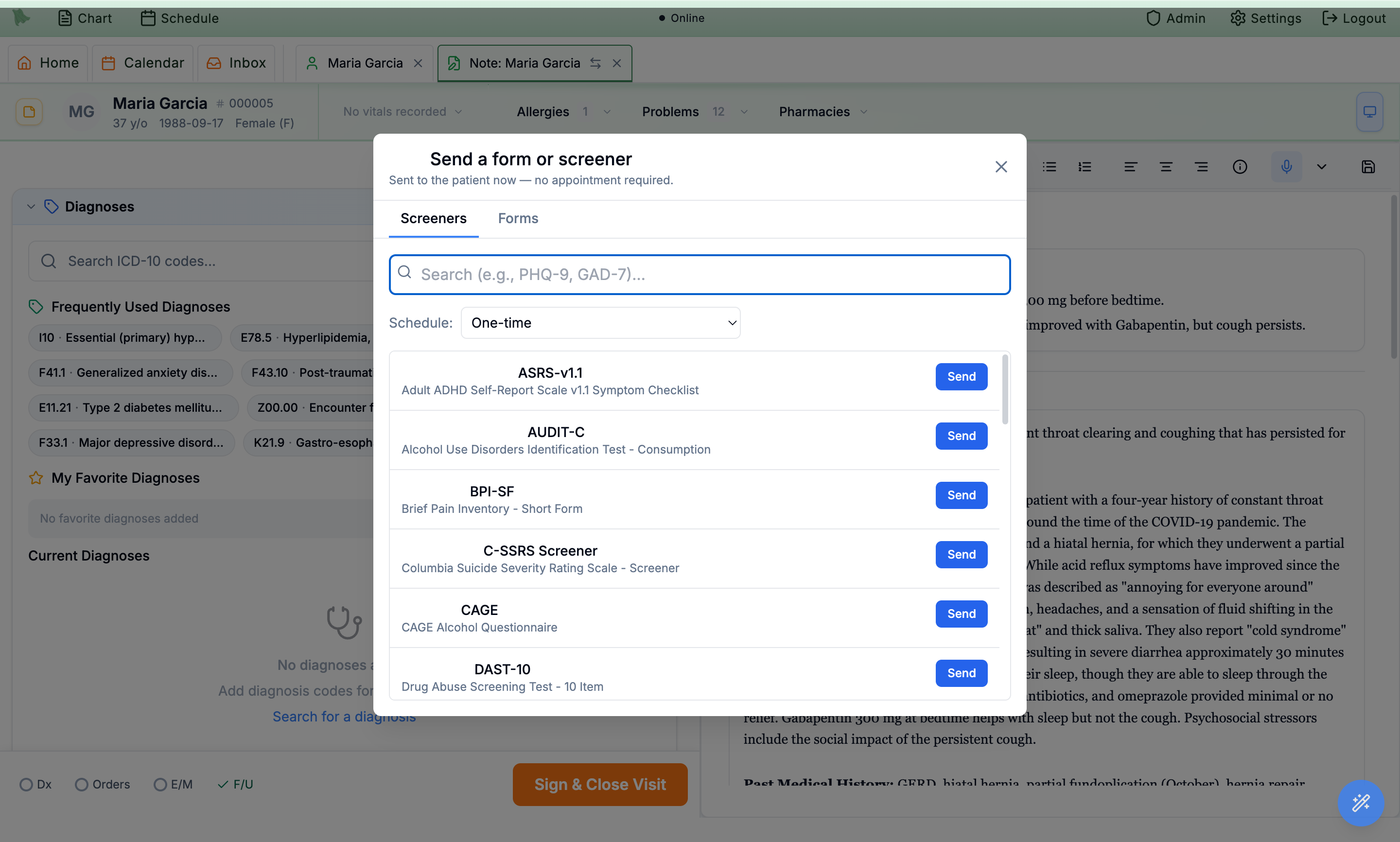
A versioned scoring engine with real cutoffs/interpretation for PHQ‑9, GAD‑7, PCL‑5, MDQ, ASRS, C‑SSRS and many more. Score in‑visit or send to the portal; results post back to the chart and can auto‑assign pre‑visit.
Encounter › Order Entry › “Send a form or screener” › Screeners
Real‑time collaborative editing of notes and encounter completion over live sync, with collaborator presence avatars and a full per‑edit audit trail.
Open the same note as a colleague — edits sync live with presence
Duplicate prevention and visit targeting are solid today (active assignments are de‑duped per visit, and timing supports “immediate / X days before / at check‑in”). Per‑link countdown windows are the addition.
~1 wk We add valid‑from / expires‑at on assignments (e.g. 12h link life, opens 72h pre‑visit) enforced on the patient submit + pending list.
An AI After‑Visit Summary already writes plain‑language instructions from the signed note covering diagnosis, plan, meds and follow‑up, published to the portal. A reusable, med/dx‑keyed handout library is the extension.
2–4 wks We extend the AVS generator into an education‑material generator keyed to prescribed drug(s) + active diagnoses, with a one‑click “share with patient.”
The messaging/inbox and after‑hours routing primitives exist, but there’s no dedicated on‑call rotation roster yet.
2–4 wks We build an on‑call shift schedule and route after‑hours patient messages/calls to whoever is on call.
“Treatment plan” exists as a note section today, but not as a structured problem/goal/objective/intervention entity with a payer‑specific (BCBS) template.
1–2 mo We build a structured TreatmentPlan model with BCBS‑shaped templates and AI draft‑from‑note generation, reviewable per visit.
A manual referral system (provider lookup, PDF, fax, audit) exists, and the rules engine already understands score thresholds and problem codes — it just isn’t wired to medication history or referral creation.
2–4 wks We build a medication‑failure rule operator + a “create referral task” action so a PHQ‑9 >12 with ≥2 failed antidepressants auto‑flags the referral.
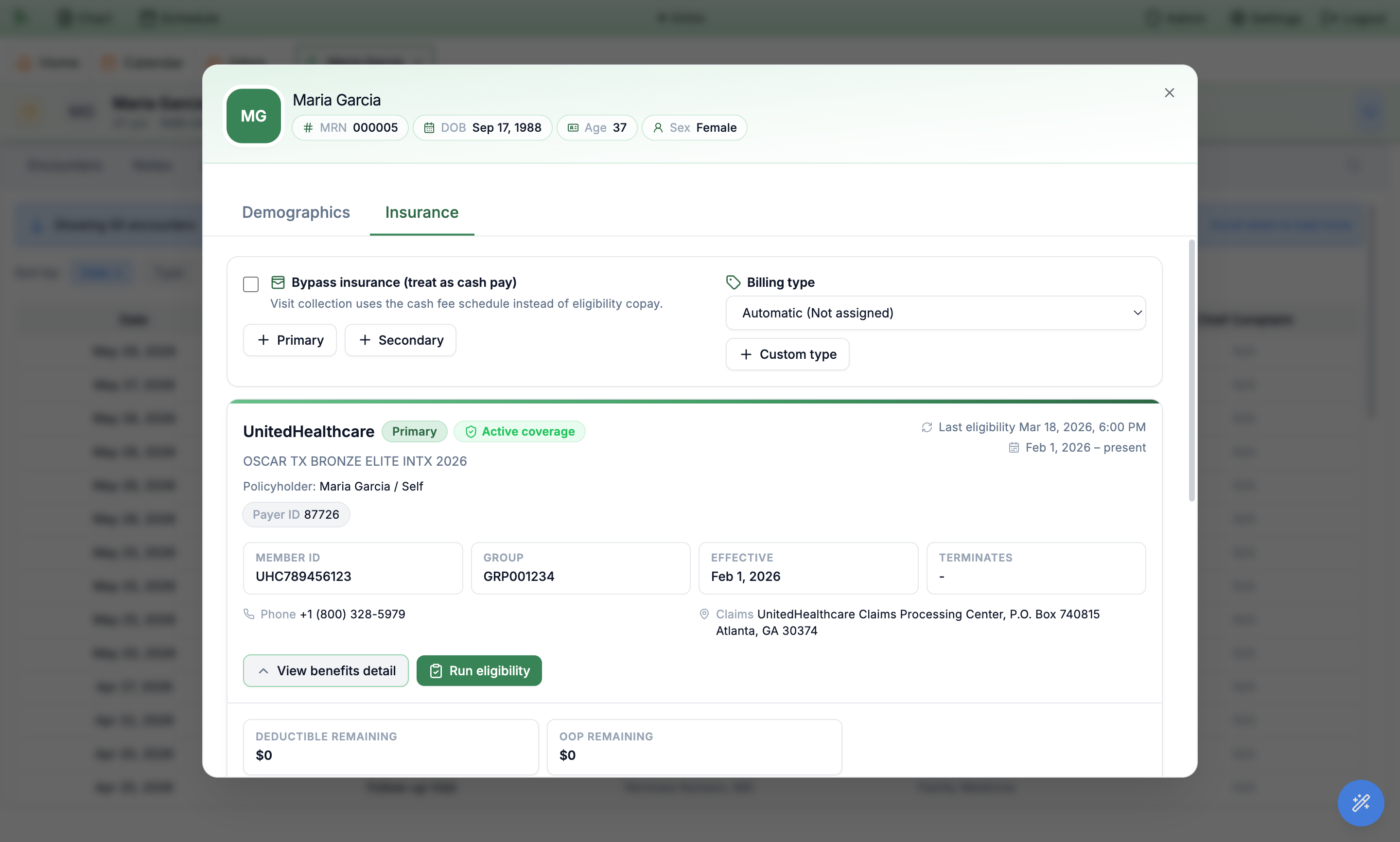
Automated eligibility that runs nightly and pre‑visit, pulls real copay/deductible/OOP, and is payer‑aware so it never burns a paid check on a payer that can’t be run electronically.
A nightly job verifies every patient with an upcoming appointment, and a check is auto‑queued when an appointment is booked. Routing is payer‑aware: payers that can’t be run electronically are flagged for manual action instead of consuming a paid transaction.
Runs automatically; results show on the Insurance tab (“Last eligibility …”)
Successful checks parse into structured benefits — copay, deductible remaining, OOP remaining/max, coinsurance — shown on the policy card and used to auto‑create the visit copay charge.
Patient › Demographics › Insurance › “View benefits detail”
Before submitting, both eligibility paths validate subscriber completeness; a dependent policy missing policyholder name/DOB is flagged with a clear, non‑retryable error and surfaced per‑policy and in an admin failed‑checks list.
Insurance tab error + Admin › failed eligibility checks
The batch engine already runs as a nightly fan‑out across your whole upcoming schedule. The missing piece is a “run a batch now” button for an ad‑hoc roster or date range.
~1 wk We add a “Run batch eligibility” control + results view on top of the existing batch tasks and check‑log.
Inactive coverage is detected and shown as a red “Inactive coverage” badge today, and pre‑visit checks keep it fresh. A proactive alert at the appointment/check‑in is the addition.
~1 wk We add an inactive‑coverage banner on the appointment card and check‑in screen (reusing fields the auto‑checks already populate).
Secondary (and tertiary) policies are first‑class for capture and eligibility — they’re added in the UI and verified just like primary, and claims emit the correct payer‑sequence segment. True coordination‑of‑benefits secondary claim generation is the build.
phased build Already scoped: the full COB / secondary‑claim lifecycle (payer‑order determination, adjudication ledger, prior‑payer 837 loops, crossover handling) is laid out in a detailed phased plan — see “Auto secondary‑claim generation” under Claims & RCM.
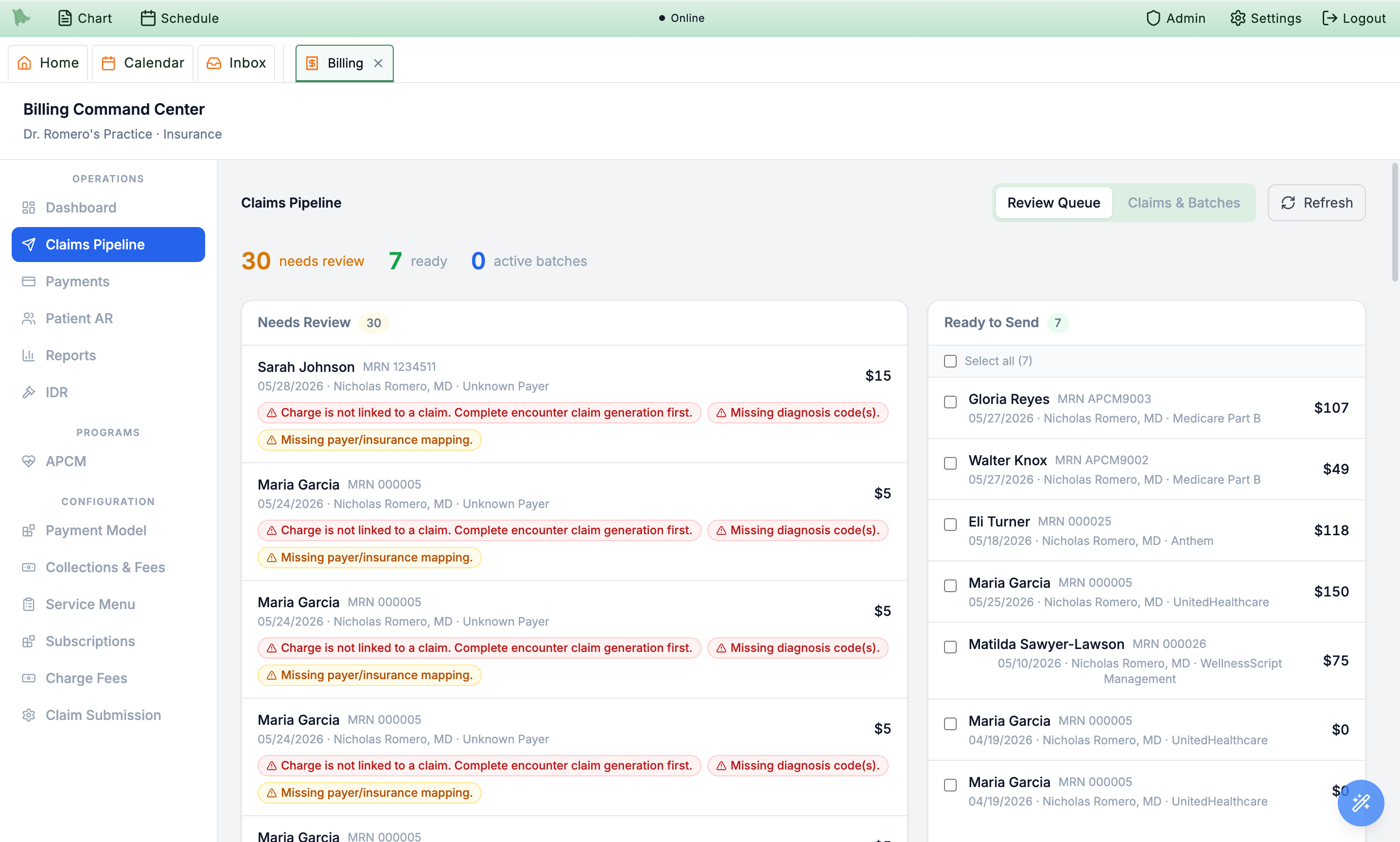
A full RCM command center: clean 837 generation, pre‑submission scrubbing, bulk submit/resubmit, auto claim creation when a note is signed, and ERA auto‑posting that reconciles AR.
A HIPAA‑compliant 837P generator builds correct EDI from the encounter, patient, insurance and provider data (envelopes, billing/subscriber/payer loops, up to 12 diagnoses, service lines with modifiers).
Billing › Claims › select claim › Preview/Download 837
Signing an encounter fires a background job that builds the primary claim from the visit’s diagnoses and charges and marks it ready‑to‑submit when it’s clean.
Sign a note → claim appears in Billing › Claims
Required‑field/format validation, payer‑readiness gating, and provider‑enrollment checks run before transmission; problems surface on the claim and in the review queue (above).
Billing › Claims Pipeline › Needs Review
Batch‑submit a list of claims in one action, plus per‑claim submit, resubmit, void and amend, and a batch path that bundles many ready claims into one file.
Billing › Claims › Batches (and per‑claim Resubmit)
An 835 parser auto‑matches each remittance to its claim, posts insurance payments, writes line‑level adjustments, updates status (paid/denied/partial), and reconciles charges + AR — idempotently.
Billing › Payments › ERAs
Remittances match to internal claims by claim number / payer control number, and each 835 line matches to the right claim line — posted payments link straight to the claim.
Billing › Payments › Activity
After the ERA posts, patient‑responsibility (deductible/coinsurance/copay) flows to the claim and creates AR rows with balance, due date, aging bucket and status.
Billing › Patient AR
A daily job already batches and submits ready claims when auto‑submit is enabled, and the router can auto‑upload a batch immediately. We’d make it a universal org‑wide auto‑pilot for every clean claim.
2–4 wks We add an org‑level “auto‑submit everything clean” setting so every signed, scrubbed claim transmits with no clicks.
Card‑on‑file with pre‑visit auto‑charge, auto receipts, and statement send are live. A generic “pay this balance” hosted link embedded in reminders is the addition.
2–4 wks We add a hosted balance payment link embedded in statement + pre‑visit reminder emails.
The data model supports secondary/tertiary claims and the 837 emits the right payer sequence, but generation is primary‑only today. This is the one wishlist item that touches financial truth, so we’ve already written a detailed, phased remediation plan rather than bolting it on.
phased build The plan, in order: (1) a coordination‑of‑benefits step that determines payer order from eligibility + COB evidence; (2) a structured remittance & line‑level adjudication ledger from the incoming 835s; (3) secondary/tertiary 837 generation that carries the primary’s paid amounts and adjustments into the prior‑payer loops; (4) crossover detection — when a payer auto‑forwards to the secondary, we suppress our own filing to avoid duplicates. Released behind flags in shadow mode first, given the accounting risk.
Denials are captured as structured data today with a denial‑analysis report and a stuck‑claims alert banner. The “smart” layer — preventative edits, root‑cause patterns, and up/down‑coding trackers — is where we’d invest next, mostly on top of data you already have.
The dashboard already surfaces an “active billing failures” banner for stalled, rejected and denied claims with age and severity. We’d add an explicit aging threshold.
~1 wk We add an aging detector (org‑configurable, e.g. >30 days) to the existing failure banner using claim status history.
Denials are first‑class (reason codes, dollar impact, provider, payer, place‑of‑service, dates) and a Denial Analysis report exists. The time‑trend, spike alert and “same CPT+payer / same provider / same location” pattern views are the build.
2–4 wks We add trend series + prior‑period deltas + spike alerts and group‑by‑payer/provider/location pattern detection on the existing denial data.
Eligibility already captures copay/deductible/OOP/coinsurance and auto‑creates the visit copay charge. A pre‑service “estimate” screen across planned CPTs is the addition.
~1 wk We add an estimator that applies the saved benefits (deductible → coinsurance → OOP cap) to the planned codes’ allowed amounts.
Validation today checks required fields, not coding edits. There’s no NCCI/MUE rule layer or history‑based “likely to be denied” flagging yet.
1–2 mo We build a scrubber seeded with published NCCI PTP/MUE + modifier rules, then layer history‑based predictive edits from your own denial data.
Down‑coding exists only as a manual field in the dispute‑resolution module; there’s no automated tracker comparing billed vs paid/documented level.
2–4 wks We build detectors that compare billed vs paid level on the ERA (payer downcoding) and billed vs documented level (undercoding), surfaced as a tracker report.
The hard part — a prior‑authorization data model with visit/encounter linkage and authorized‑vs‑used units — already exists. What’s left is the thin workflow layer on top: the screen, the expiry job, and the counter.
A prior‑authorization model stores auth number, status, effective dates, units authorized/used, service & diagnosis codes, and links to an encounter. The CRUD UI to manage it is the addition.
2–4 wks We add an org‑scoped auth screen (create/list/update, attach to visits) on the existing model.
Authorized and used units both exist on the model; we’d add the logic that increments used‑units per visit and shows units remaining.
2–4 wks We add a units counter that ticks on encounter completion / claim creation and surfaces remaining units.
The model has an effective‑end date and an “expired” status, but no job flips it or warns ahead of time yet.
2–4 wks We build a nightly job that flags auths nearing/at expiry and notifies staff (alongside the existing scheduled jobs).
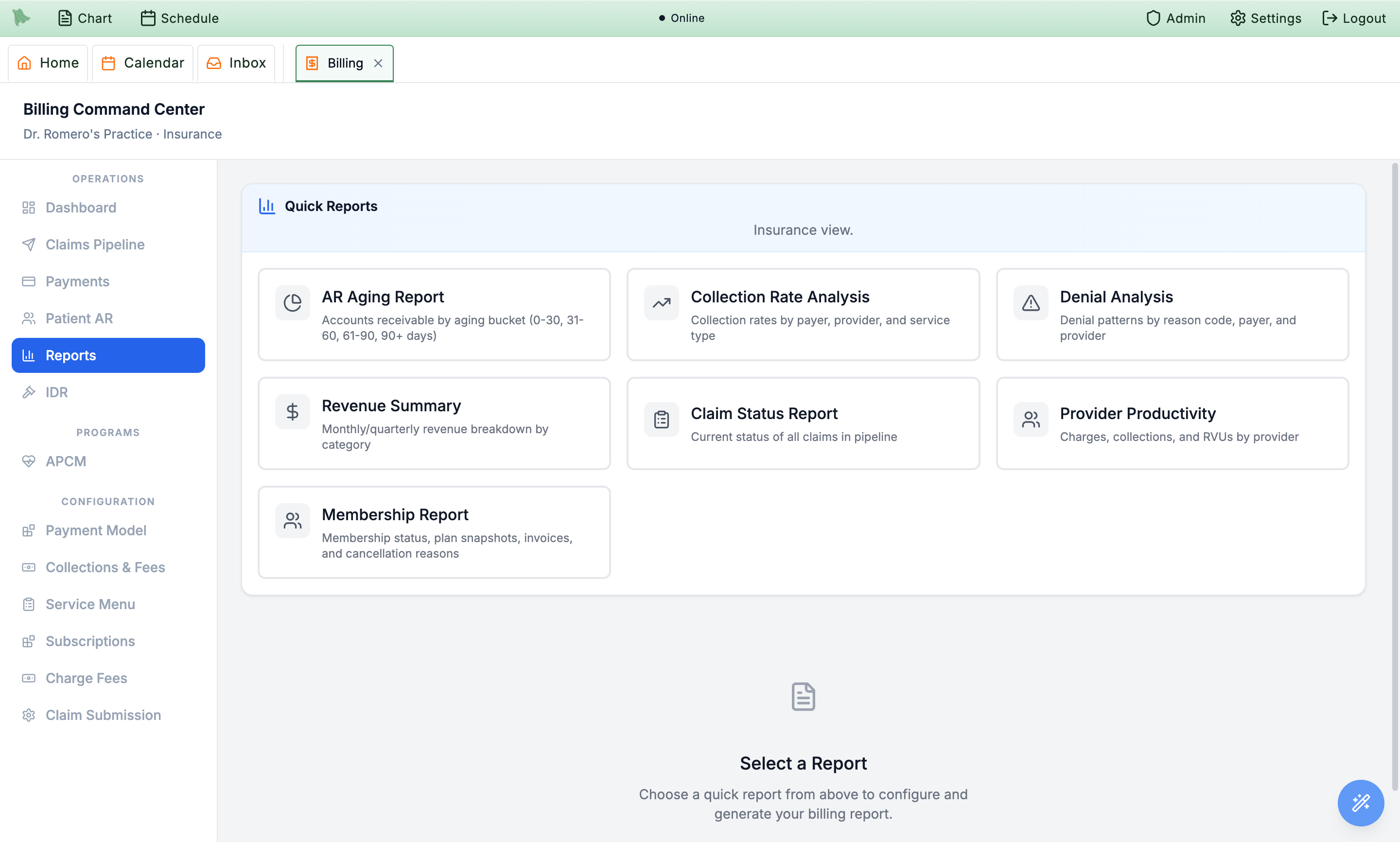
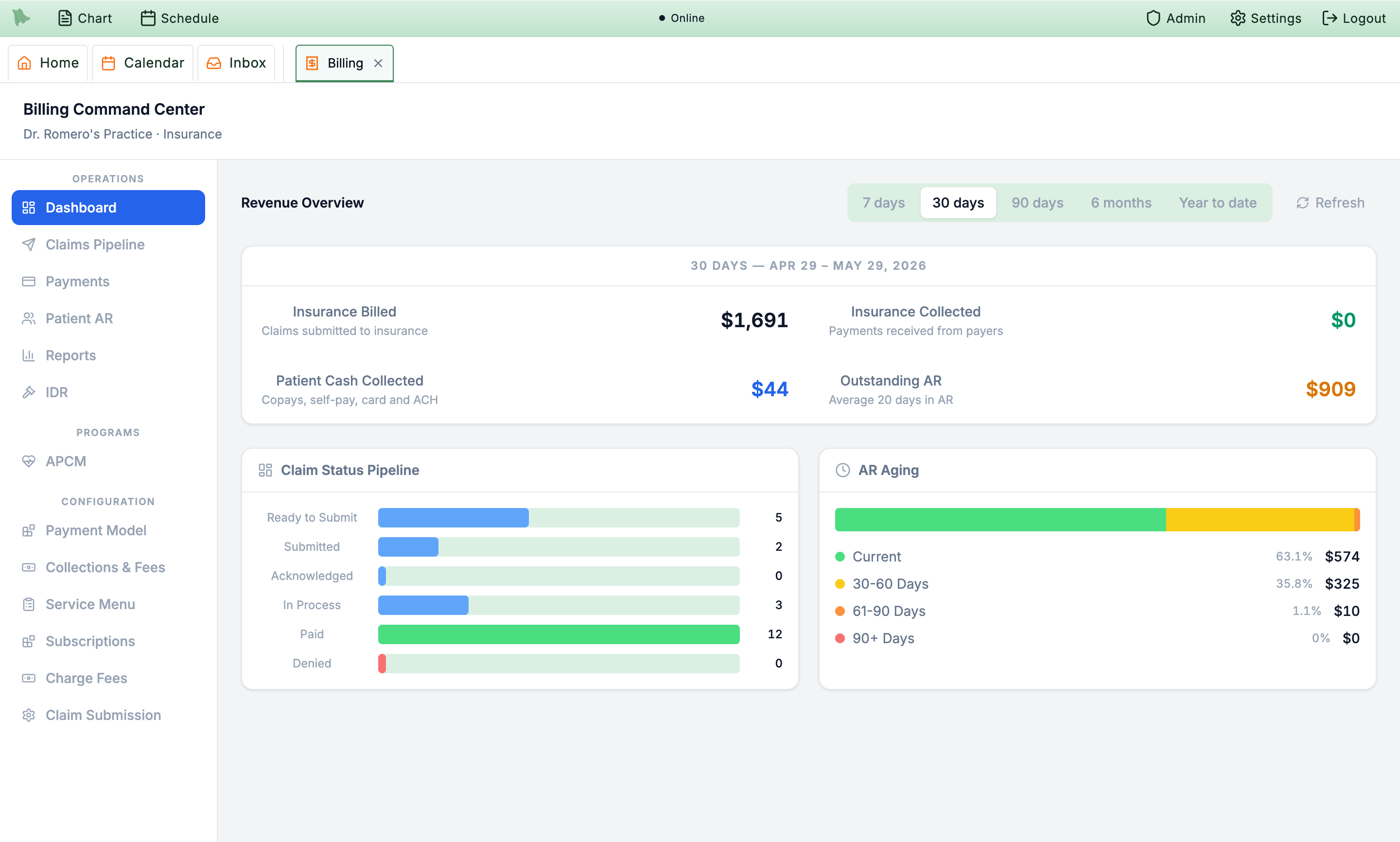
Financial and operational KPI dashboards plus a date‑ranged, group‑by report engine ship today. Several of your “key reports” already exist by name; the rest are new report types on the same engine.
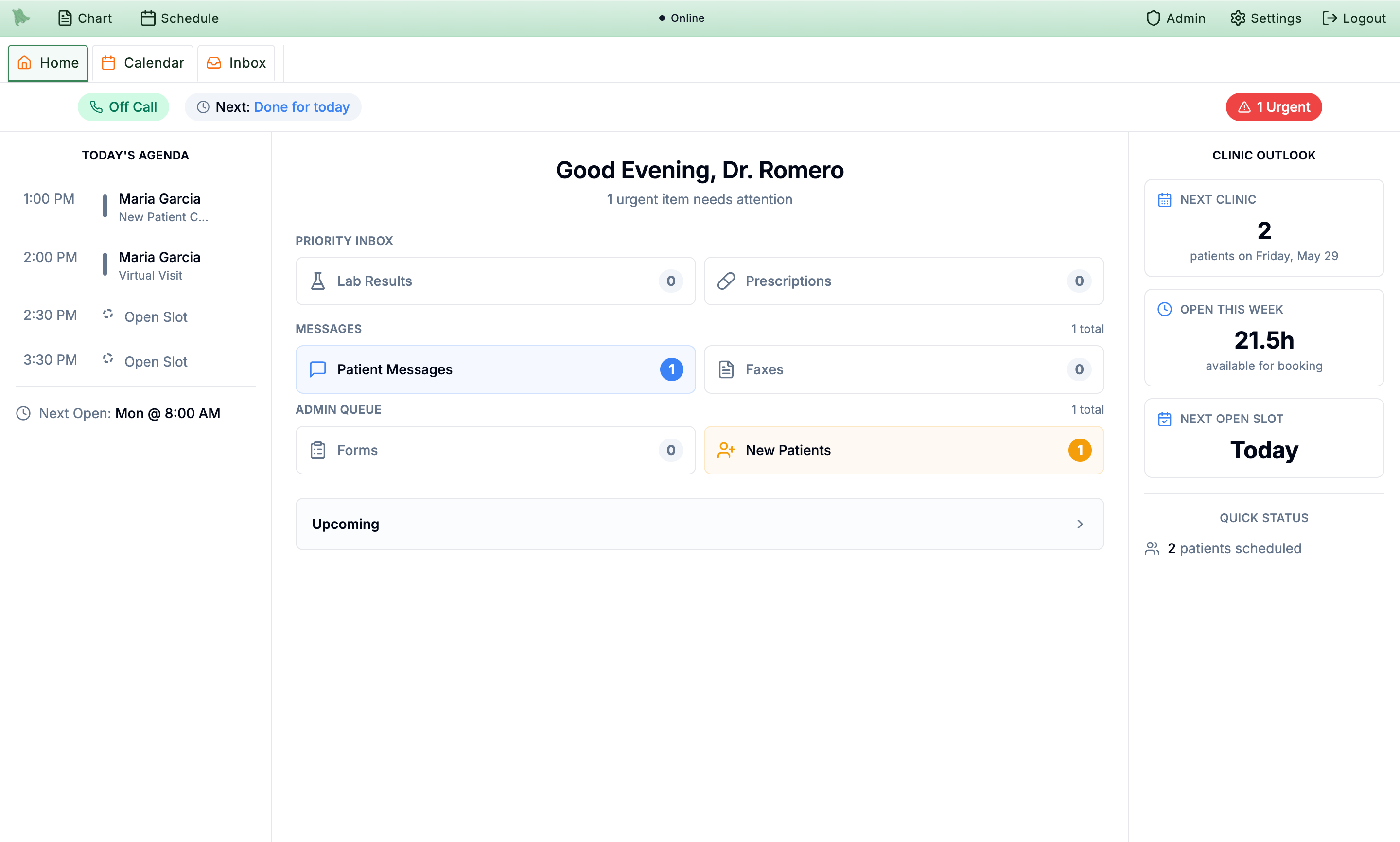
A financial command‑center dashboard (revenue, collected, insurance vs cash, claims billed, membership MRR & churn) plus an operational clinician home dashboard.
Billing › Dashboard, and the clinician Home screen
“Provider Productivity” aggregates claim count, filed and paid amounts and a collection rate per rendering provider, with date range and provider filter.
Billing › Reports › Provider Productivity
A real report builder exists today — pick report type, date range and a Group‑By dimension (provider/payer/service/location), then export. We’d open it to free‑form field/measure selection.
2–4 wks We add a metadata‑driven field/measure/dimension picker so you assemble your own reports without preset templates.
Denial Analysis groups denials by code with counts and dollar impact today; we’d add the per‑payer rate (denied ÷ total).
~1 wk We add a payer dimension + rate computation to the denial report.
The home dashboard already computes weekly open‑slot hours and days‑to‑next‑opening; a dedicated per‑provider/day gap report is the build.
~1 wk We add a gap report listing unfilled blocks (optionally cross‑referencing the waitlist to suggest fills).
Membership/subscription churn is measured today (cancellations, MRR‑at‑risk, churn reasons). Visit‑based panel churn (active patients not returning) is the addition.
2–4 wks We add a panel‑churn report from visit history (active window + no future booking).
Utilization (booked vs available capacity), an authorization‑tracking report, and a downcoding tracker are new reports we’d build on the existing scheduling/claims/ERA data.
2–4 wks each We build these as new report types — utilization from the schedule, auth tracking from the prior‑auth model, downcoding from ERA comparisons.
Audit logging, fax/message assignment, multi‑location config and lead capture exist today; a few admin conveniences (a tasks board, a template‑copy button, role‑based training, a CRM funnel, a panic hotkey) are scoped builds.
Comprehensive audit logging runs today — automatic PHI‑access logging on patient routes, login‑attempt auditing, and an internal audit/EPCS console. An in‑EMR viewer for your admins is the addition.
2–4 wks We add an admin‑facing audit viewer (filter by patient/user/action/date) over the existing audit query service.
Faxes and inbox messages already assign to staff with status and follow‑up flags. A general to‑do/task board is the build.
2–4 wks We add a Task model + board (assignee, due date, priority, patient link) reusing inbox assignment patterns.
Website leads are captured into an Inquiry record (status, priority, AI‑suggested replies, assignment) and shown in the inbox. A pipeline/funnel view is the addition.
1–2 mo We build a CRM funnel (pipeline stages, owner, next action, source attribution, lead→visit conversion) on the existing inquiry data.
Templates aren’t location‑scoped today (note templates are per‑provider; paperwork per‑org), and there’s only a single‑template clone.
2–4 wks We build location association + a “copy all templates to location X” bulk action on the existing clone logic.
There’s no in‑app training/onboarding system or role‑specific guided tours yet.
1–2 mo We build an authorable training system + in‑app guided tours, gated by the existing staff roles.
A keyboard‑shortcut framework exists, but there’s no emergency broadcast to all logged‑in users yet.
2–4 wks We build a global panic hotkey that fans an alert to everyone logged into that clinic via the existing real‑time channel.
Video visits are provisioned with a waiting room, but its content isn’t configurable today.
1–2 mo We build a branded pre‑call lobby (logo + custom video/music) — or expose the vendor’s waiting‑room branding for a faster path.
We’ll set you up with your own demo tenant. In the meantime, here’s a shared sandbox and a guided path so you can verify the “Live today” items above with your own hands.
apitestuser@soaper.ainovusdemotestpatient5@soaper.aitestpatient5This is a shared sandbox with sample patients — please don’t store real PHI in it. Your own demo tenant will be private to your team.